Apple's $1,999 (£1,513) iPhone Duo makes running two apps side by side straightforward. Now, iPad owners can get a similar convenience without buying a new device.
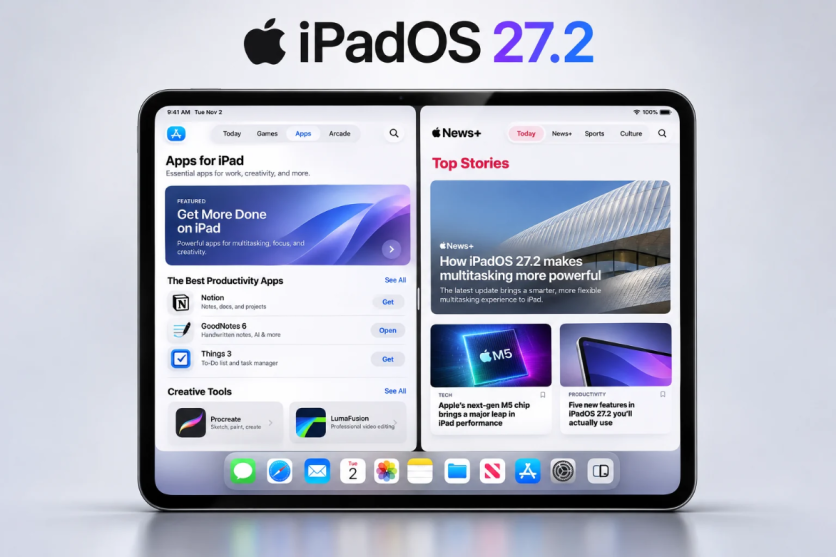
Apple's iPadOS 27.2 update, released on 26 October 2026, lets users choose a second app when positioning windows alongside each other.
The improvement simplifies an existing iPad feature rather than introducing split-screen multitasking for the first time. It also brings one part of the experience closer to Apple's first foldable iPhone.
Split View Gets a Simpler Setup
Apple introduced Split View on the iPad with iOS 9 in 2015. The company later expanded multitasking, including a more flexible windowing system in iPadOS 26.
Before the latest change, arranging two apps could mean opening the first, resizing its window, swiping to find another app and adjusting that window too. This added steps to routine tasks such as comparing documents.
According to Apple's iPadOS 27.2 release notes, users can now select a second app when tiling an existing window left or right through the window controls or menu bar. The Home Screen appears in the available space, allowing users to choose another app with a tap.
They could keep Safari open beside Mail or consult research while writing notes. The change makes setting up the layout easier; it does not create a new ability to run two apps together.
What Does the iPhone Duo Do Differently?
Apple unveiled the iPhone Duo on 9 September 2026. Its first foldable smartphone has a 7.6-inch inner display and a 5.4-inch outer display.
Sales began on 23 October, with US prices starting at $1,999 (£1,513). On its larger screen, Split View lets users open two apps simultaneously. They can switch between apps, open two windows of the same application and save app pairs to revisit later.
The updated iPad arrangement resembles the Duo's approach to choosing a second app. However, the devices use different interfaces, and iPadOS 27.2 does not reproduce every feature of the foldable phone.
Apple has not said the iPad change was developed because of the Duo. The resemblance should not be treated as proof of a direct connection.
Which Older iPads Can Get the Update?
Apple's compatibility guide lists the ninth-generation iPad, fourth-generation iPad Air and sixth-generation iPad mini among supported models.
Eligible iPad Pro devices include the 11-inch second-generation model and later, plus the 12.9-inch fourth-generation model and later. Compatibility and feature availability can vary by device.
To check for the update, open Settings, select General and tap Software Update. Follow the instructions if the update is offered.
Once installed, ensure Windowed Apps is enabled under Settings > Multitasking & Gestures. Open an app and use its window controls to tile it to either side, then choose a second app.
A Useful Upgrade Without a New Purchase
The Duo still offers something a conventional iPad cannot: a foldable smartphone that combines a larger inner display with pocket-sized portability.
For existing iPad owners, though, the benefit is simpler. iPadOS 27.2 removes some manual window adjustments from everyday multitasking, making a familiar feature easier to use without replacing compatible hardware.


