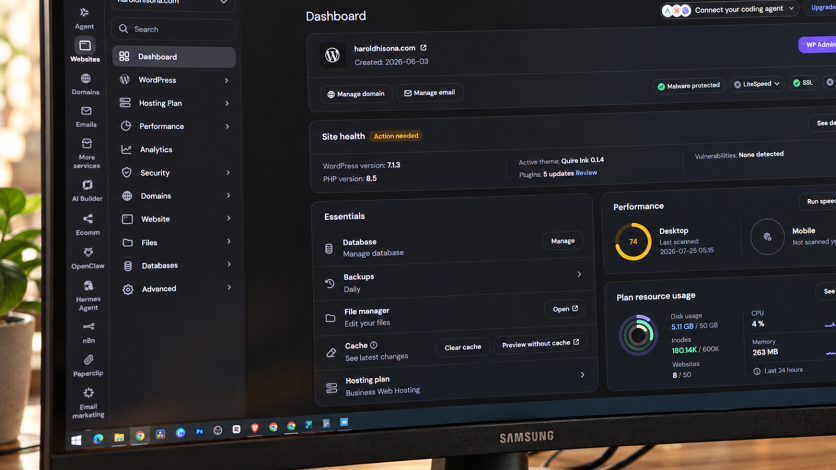
PHP has released emergency security fixes for two critical vulnerabilities, but website owners still need their hosting company to confirm that the updates are running on the systems serving their sites.
Released on 21 October 2026, PHP 8.5.12, 8.4.27, 8.3.36 and 8.2.35 address flaws that can allow attackers to execute code without logging in. Successful exploitation could expose information accessible to an application or disrupt its services.
The vulnerabilities, CVE-2026-109618 and CVE-2026-109619, are known as PHP2Shell. Information leaked before coordinated disclosure, prompting an advance warning on 20 October. With fixes now available, owners need confirmation of deployment rather than reassurance that an update has been announced.
Has My Hosting Company Installed Both Fixes?
The first question is whether both vulnerabilities have been patched across every server and application handling the website. Owners should request the installed PHP version or package revision and confirmation of when deployment was completed.
Some operating-system vendors backport security fixes into packages that retain an older PHP version number. A provider using such a package should identify the security notice confirming that it includes both fixes.
PHP processes also need restarting. Container-based services may require rebuilt images and redeployment, so downloading an update alone does not establish that running services are protected.
Updating WordPress, a theme or a plugin does not itself update PHP. Owners should ask whether their hosting plan includes server-level security updates or whether their developer or administrator must install them.
How to Check Your PHP Version
In Hostinger hPanel, open Websites, then select Dashboard beside the relevant website. Search for PHP Info in the sidebar and open it to view the current version.
In cPanel, open Software, then select MultiPHP Manager. Find the domain and check its PHP Version. If that interface is unavailable, ask the hosting provider to confirm the version.
These checks provide a starting point. The displayed version may not reveal whether a vendor has backported the fixes, so owners should still request confirmation that both PHP2Shell vulnerabilities are covered.
Which Hosting Setups Are at Risk?
PHP's official advisory identifies unpatched installations serving web requests as at risk. These include PHP-FPM, Apache with mod_php, php-cgi, FrankenPHP and LiteSpeed.
The security team considers mod_php the highest risk, with a demonstrated attack that can run before application code.
That warning does not establish that every PHP website has been hacked. Websites without PHP in their underlying services are not directly affected by these particular flaws.
Owners using PHP 8.1 or older should ask whether their provider offers a verified backported fix or requires an upgrade. Those branches no longer receive routine PHP-project updates, although exceptional source backports were supplied for PHP 7.4, 8.0 and 8.1.
Will Updating Interrupt Customer Services?
Owners should ask when maintenance will take place, whether access will be interrupted and how the provider will test the website afterwards. For online shops, checks should cover checkout, customer logins and other essential functions.
The technical team should prepare backups and assess compatibility before deployment. Where immediate updating is impossible, owners need a clear explanation of temporary restrictions, remaining exposure and the deadline for installing the fixes.
PHP's advisory says temporary mitigations do not make an installation safe. Firewall rules and configuration changes should therefore not be treated as substitutes for the security update.
Has the Provider Checked for an Earlier Intrusion?
Installing the fixes does not establish whether attackers gained access beforehand. Owners should ask whether suspicious requests, unexplained server errors, unexpected files and unusual outbound connections have been reviewed.
Those findings require investigation rather than assumptions. An error message alone does not prove an attack, while a working website does not demonstrate that its software is secure.
The hosting company's response should identify which systems were patched, which package was deployed, whether services restarted and what checks followed. That gives owners a concrete record of the work completed to protect their website and customer information.


